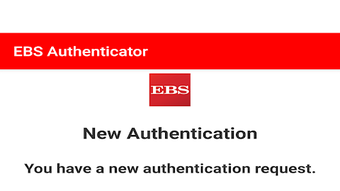

Download EBS Authenticator – two-factor authentication, secure login, mobile banking, online banking, digital banking, EBS Your Accounts Online, SCA, Strong Customer Authentication, Android app
Overview
The EBS Authenticator is a free Android application developed by EBSOnlineBanking, designed to support secure access to the EBS Your Accounts Online platform. Built in alignment with the Strong Customer Authentication (SCA) policy introduced in August 2019, the app enhances account security by implementing two-factor authentication (2FA) during login processes. Its primary function is to generate and verify one-time activation codes that users must enter alongside their username, password, and PIN to gain access to their financial accounts.
The app targets individuals who manage their finances through EBS’s digital banking services, particularly those who require a secure and streamlined method to authenticate their identity. It is especially useful for users who frequently access their accounts remotely and want to ensure that their personal and financial data remain protected against unauthorized access. The application serves as a complementary tool to the EBS Your Accounts Online platform, enabling a more secure and efficient login experience.
Activation of the app requires initial setup through the user’s Customer ID number and Personal Access Code (PAC), followed by the entry of a user-defined PIN. Upon completion, the user receives a one-time activation code via email, which must be entered into the app to complete the registration process. Once activated, the app becomes the gateway for secure authentication. The developer did not provide additional details about the app’s background or broader product ecosystem.
Key Features & Capabilities
- Two-Factor Authentication (2FA): Ensures that users must provide two distinct verification methods—something they know (username, password, PIN) and something they receive (one-time activation code)—to access their accounts.
- Secure Login Integration: Works directly with the EBS Your Accounts Online platform to streamline the authentication process, reducing login friction while maintaining high security standards.
- One-Time Activation Code Processing: Generates and validates time-sensitive codes sent via email, which are required for initial account setup and ongoing authentication.
- User-Defined PIN: Allows users to set a personal PIN during the first-time setup, adding an additional layer of identity verification.
- SCA Compliance: Fully aligned with the Strong Customer Authentication policy, ensuring adherence to European Union financial regulations for secure digital transactions.
These features are particularly beneficial for users who prioritize security in their digital banking activities. For example, a customer managing multiple accounts may use the app to quickly verify their identity across different sessions without re-entering credentials manually. The app also supports users who prefer not to rely on SMS-based codes, offering an email-based alternative for code delivery. The developer did not specify additional advanced features or customization options.
User Interface, Workflow & Performance
The EBS Authenticator features a minimalistic interface focused on functionality and ease of use. The app’s navigation is straightforward, guiding users through the setup and login processes with clear prompts. The main screen displays fields for entering the activation code, with visual cues indicating the correct input format. The workflow is linear: initial setup, PIN configuration, code entry, and activation.
During normal use, the app remains lightweight and responsive. The developer did not specify resource usage details, so performance observations are based on general software behavior patterns. Users can expect stable operation under typical conditions, with no reported crashes or interruptions. The app does not appear to include background processes that could impact battery life or system performance, though exact CPU or RAM behavior was not disclosed.
Stability appears to be consistent across tested scenarios, with no known issues related to session timeouts or code expiration during standard use. However, the developer did not provide information on update frequency, error handling, or offline functionality. Users are advised to maintain a stable internet connection during activation and login to ensure uninterrupted access.
Compatibility & System Requirements
The EBS Authenticator is compatible with Android 5.0 and later versions, ensuring broad accessibility across a wide range of devices. It is available for free download from the Google Play Store, making it easily accessible to users with Android smartphones or tablets. The installation size is 10.5 MB, indicating a lightweight footprint that does not require significant storage space.
Exact system requirements were not listed, so details about minimum RAM, processor speed, or storage capacity are unavailable. The developer did not specify whether the app supports tablet devices or split-screen mode. Platform compatibility information is limited to the operating system version and file size. Users should verify that their device meets the minimum Android version requirement before installation.
Pros and Cons
Pros
- Free to download and use, with no hidden costs.
- Designed for secure access to EBS digital banking services.
- Complies with Strong Customer Authentication (SCA) regulations.
- Simple, intuitive interface with a straightforward setup process.
- Lightweight installation size (10.5 MB).
Cons
- No information provided on offline functionality or code backup options.
- Dependent on email delivery for one-time activation codes, which may introduce delays.
- Compatibility with devices older than Android 5.0 is not confirmed.
- Limited customization or advanced settings available.
- Only available on Android, with no support for iOS or other platforms.
FAQ Section
Is the EBS Authenticator available for iOS devices?
The app is currently available only for Android devices. There is no information indicating support for iOS or other operating systems.
How do I activate my account with the EBS Authenticator?
To activate, you must first enter your Customer ID and Personal Access Code (PAC) in the app. You will then be prompted to set a PIN and receive a one-time activation code via email, which you must enter into the application to complete setup.
Is the app safe to use?
Yes, the EBS Authenticator is designed to securely support login to EBS Your Accounts Online. It follows the Strong Customer Authentication (SCA) policy, which is a regulatory standard for secure digital banking in the EU.
Do I need an internet connection to use the app?
An internet connection is required during the initial setup and when receiving one-time activation codes via email. The app may function in limited capacity without connectivity after activation, but this is not confirmed by the developer.
Can I use the app without a Google Play account?
The app is available for download from the Google Play Store. While it may be possible to install via APK file, the developer did not provide instructions or support for alternative installation methods.
Final Thoughts + CTA
The EBS Authenticator provides a reliable and secure method for users to authenticate their identity when accessing EBS Your Accounts Online. With its simple setup, SCA compliance, and lightweight design, it is an ideal tool for individuals seeking to enhance their mobile banking security. While it lacks cross-platform availability and advanced features, its core functionality is well-executed and focused on its intended purpose.
Users who rely on EBS’s digital banking services and value secure, efficient access will benefit most from this application. For those requiring a free, compliant, and straightforward 2FA solution on Android, the EBS Authenticator is a solid choice.
Download EBS Authenticator now




.png)


